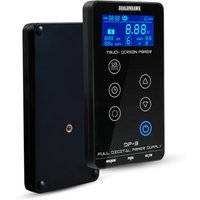
DragonHawk Mast Tattoo Power Supply Touch Screen Digital LCD Supplies Set for Tattoo Machines
The shop: Dragonhawk
- you pay the return shipping
“Customers will return items at their own cost and time and must prepay all shipping charges or associated costs.” — source
- refunds go back to your original payment method
“Once your refund has been approved, it will be processed immediately, and a credit will automatically be applied to your original payment method.” — source
This is what the shop says about itself, not a promise from us.
Does it suit you?
What do tests and buyers say?
Claude searches online for independent reviews and tests; we then check every quote ourselves.
Similar products
Compare with the first 3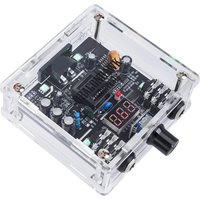 Dragonhawk Tattoo Power Supply LCD Screen for Tattoo Machines$45.00 · Dragonhawk $15 cheaper
 Dragonhawk Mast Halo Tattoo Power Supply Dual Mode Start-Up for Tattoo$49.99 · Dragonhawk $10 cheaper
 Dragonhawk Touch Tattoo Power Supply 3.42A Dual Mode Supplies Set$49.00 · Dragonhawk $11 cheaper
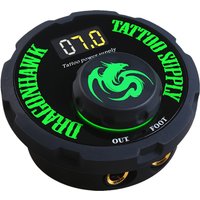 Dragonhawk Airfoil Tattoo Power Supply for Tattoo Machine Tattoo Artis$39.90 · Dragonhawk $20 cheaper
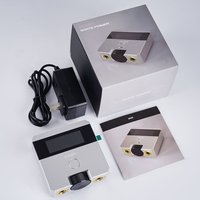 Mast Skate Dual Mode Tattoo Power Supply Start Up Function for Tattoo $69.00 · Dragonhawk
 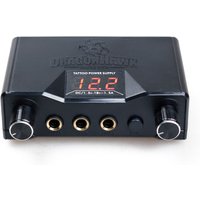 Dragonhawk Lcd Dual Tattoo Power Supply$19.99 · Dragonhawk $40 cheaper
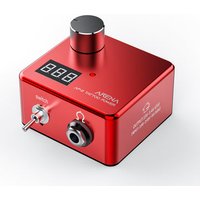 Arena Power Supply Box 3.4A LCD Screen Magnetic Base Tattoo Supply$79.99 · Dragonhawk
 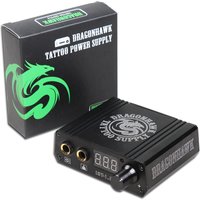 LCD Portable Mini Tattoo Power Supply$29.00 · Dragonhawk $31 cheaper
Description
Fully digital microprocessor control.Precision regulated set point voltage 3-18VDC.Plugin the power: Please use standard adapter connect to power supply through"DC/19" socket.When plugged into the power supply, press"POWER BUTTON" for 3 seconds to switch on, or another 3 seconds to switch off.When switched on, touch "L/S BUTTON" switch to L/S model, when switch to L model, L be lighted, switch to model S will be lighted.This machine provides 6 preset voltage under mood of L/S, the factory settings: L1-5V/L2-6V/L3-7V/L4-8V/L5-9V/L6-9.5V S1-6V/S2-6.5V/S3-7.5V/S4-8.5V/S5-9.5V/S6-10V touch "PRESET BUTTON" swith successively to preset voltage, to adjust the preset voltage, touch "PRESET BUTTON" to adjust the voltage gears. Touch "VOLTS+" "VOLTS-" to adjust voltage, then press "PRESET BUTTON" for 3 seconds to save the preset voltage.Package Includes:1* Power Supply1* Power Cord1* set of holder parts
Shop links are affiliate links: if you buy, the shop may pay us a commission. It never changes which products we show or in what order.